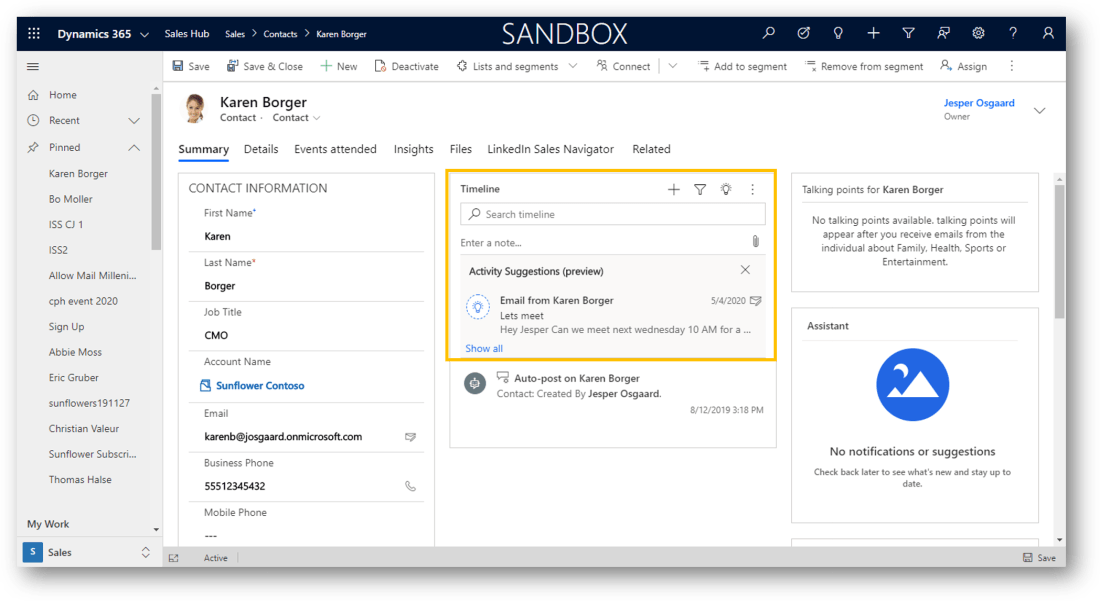
Premium auto capture helps salespeople focus on generating revenue instead of spending their time updating Dynamics 365 Sales data and logging every customer-related activity. In addition to activity suggestions based on capturing emails and meetings, premium auto capture also provides suggestions for creating new contacts Think of a scenario in which a contact we work … Continue reading Easy logging of customer-related activities with Premium auto capture
Category: Uncategorized
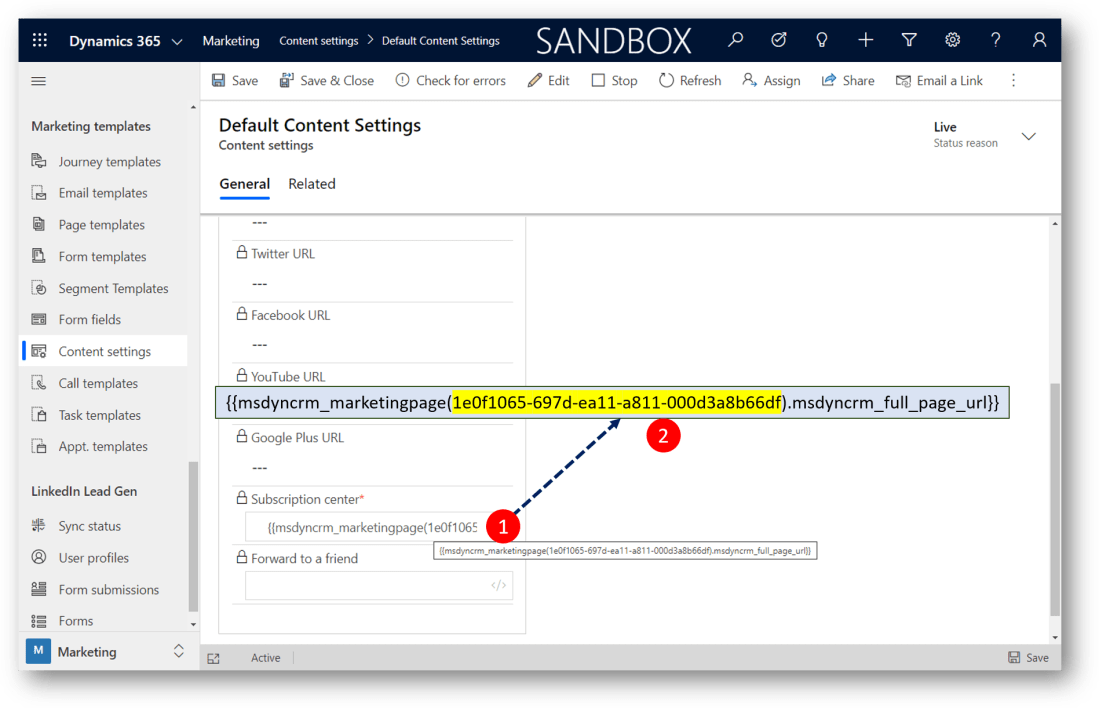
How to add a new Subscription Center to Dynamics 365 Marketing Content Settings
Dynamics 365 Marketing comes with an out-of-the-box subscription center, in which a contact can edit his/her email, and unsubscribe from bulk emails (required) Most Dynamics 365 Marketing customers will want to build their own Subscription Center with more options for their contacts, eg to support subscribing to newsletters and change level of consent (see also: … Continue reading How to add a new Subscription Center to Dynamics 365 Marketing Content Settings
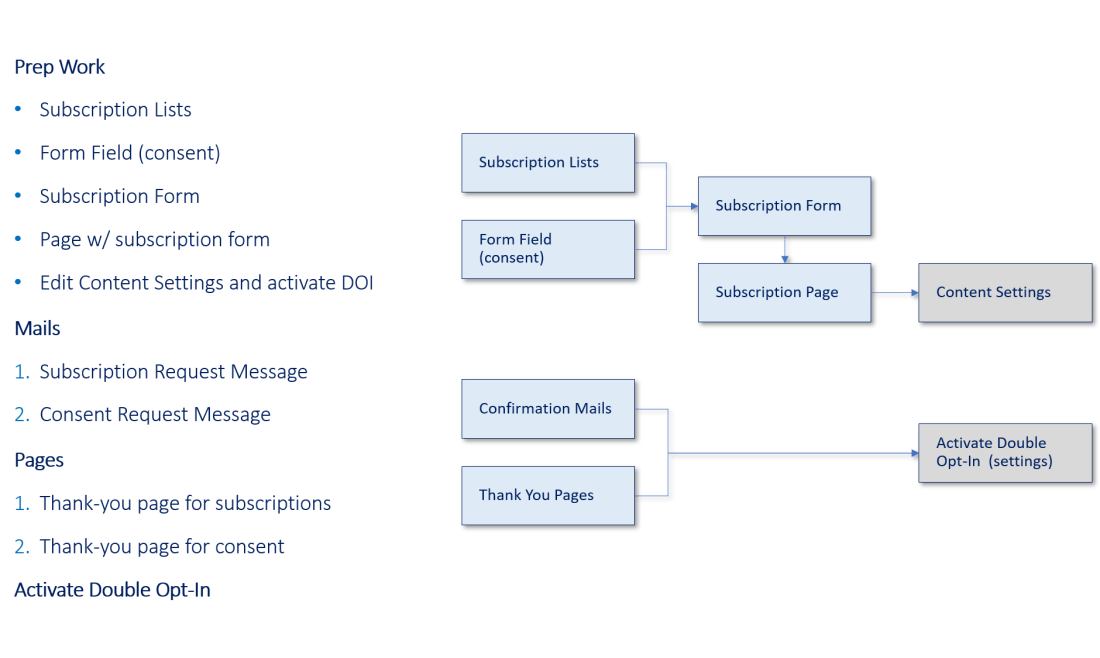
Double Opt-In in Dynamics 365 Marketing
To fully comply with the GDPR (and other common regulations), you must set up double opt-in in your Dynamics 365 Marketing.Double opt-in uses email messaging to ensure that all requests to change a contact's consent level or add a subscription were made on purpose by a person who can read that contact's email. The Double … Continue reading Double Opt-In in Dynamics 365 Marketing
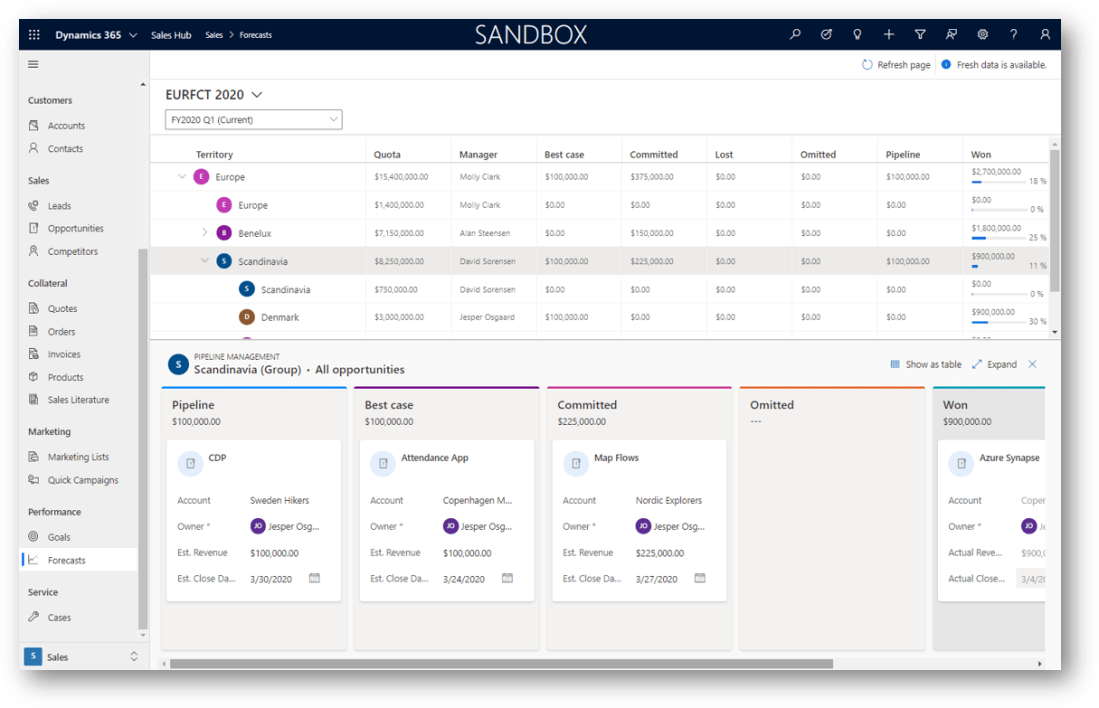
Sales Territories and Territory based forecasting in Dynamics 365 Sales
A sales forecast is a projection of what your sales team will close at the end of a given period. When done correctly, it can play a significant role in your company’s success. Managers can track individual sales performance against quotas to proactively provide coaching. Directors can use the forecast trends to anticipate departmental sales … Continue reading Sales Territories and Territory based forecasting in Dynamics 365 Sales
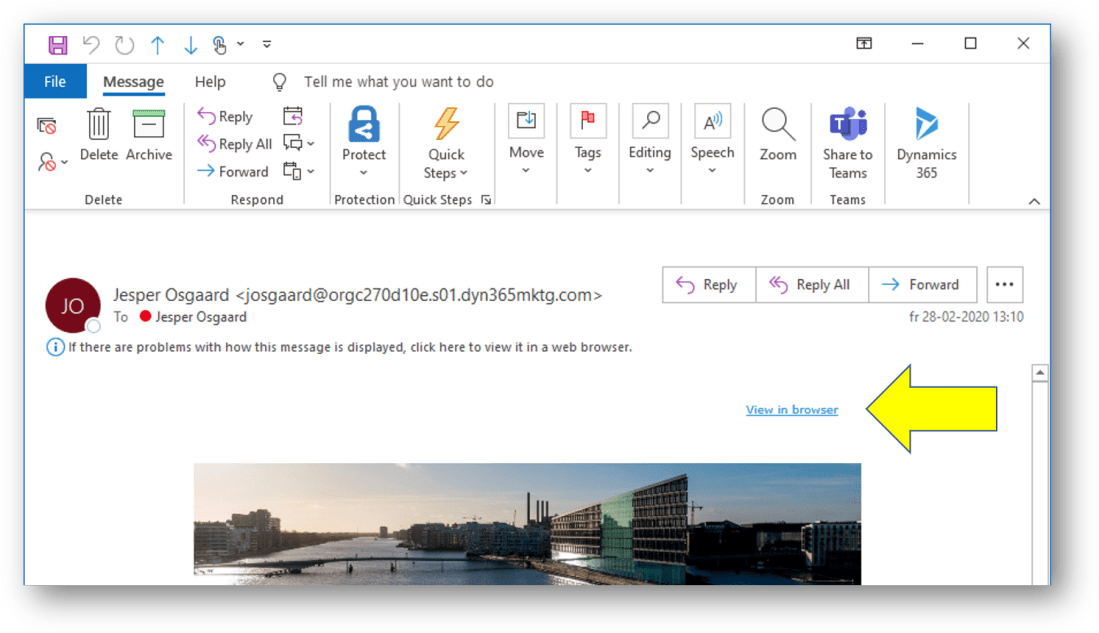
How to add ‘View in browser’ link to your emails
Ever wondered how to add that 'View in browser' link to your emails, the link that lets the recipient open your email in her browser if it doesnt render in the email client? Here is the trick Add a section and a text placeholder to the canvasSelect the text and click the Link icon in … Continue reading How to add ‘View in browser’ link to your emails
How to configure the Members list view on Segments
When you build the definition of a segment in Dynamics 365 Marketing and Go Live, you will be presented with a list of contacts fullfilling the criteras of your segment definition on the Members tab of the Segment. Out of the box, the list of members includes four columns: "Full Name", "Email", "Company Phone", and … Continue reading How to configure the Members list view on Segments
Design compelling emails and send them quickly from Dynamics 365
Often times I’ve been asked what to do if you want to design a compelling email and send from Dynamics 365. The email editor in the Sales app is surely an option, but perhaps falls short on design options. The answer is – use the new Send Now capability in the Dynamics 365 Marketing app … Continue reading Design compelling emails and send them quickly from Dynamics 365
Want to be notified when a contact is no longer with company?
Knowing if a contact is no longer with a company can help you in many ways Proactively identifying when a buyer has left an open opportunity to help you spot deals at riscIdentifying opportunities when customers (potential champions) have joined new companies Identifying all potential out-of-date contacts With the new Data Validation integration between Dynamics … Continue reading Want to be notified when a contact is no longer with company?
How to build your own subscription form in Dynamics 365 Marketing
Not all of your marketing contacts are necessarily interested in all of your communication. Letting them select what communication they will want to receive can increase your customer satisfaction and retention. This is done via a Subscription Center. A Subscription Center is basically a Marketing Page that known contacts can use to manage their communication … Continue reading How to build your own subscription form in Dynamics 365 Marketing
How to update Dynamics 365 Marketing
Its now easier than ever to check if you have the latest bits of Dynamics 365 Marketing (and request the updates if you haven't). Simply click the area picker (1) and then Settings (2) to open the Marketing Settings area. In the Marketing Settings area, click Advanced Settings (1) and then Go to quick setup … Continue reading How to update Dynamics 365 Marketing