To improve marketing return on investment, it's important to target the right audience. We can now build segments directly within the real-time marketing area of Dynamics 365 Marketing using the powerful, easy-to-use logic builder that doesn’t require specialized knowledge of complex data structures and logical operators. We can even preview the estimated segment size and … Continue reading New powerful, easy-to-use segment builder in Dynamics 365 Marketing

Tag: Segments
Segment Filter button to the rescue
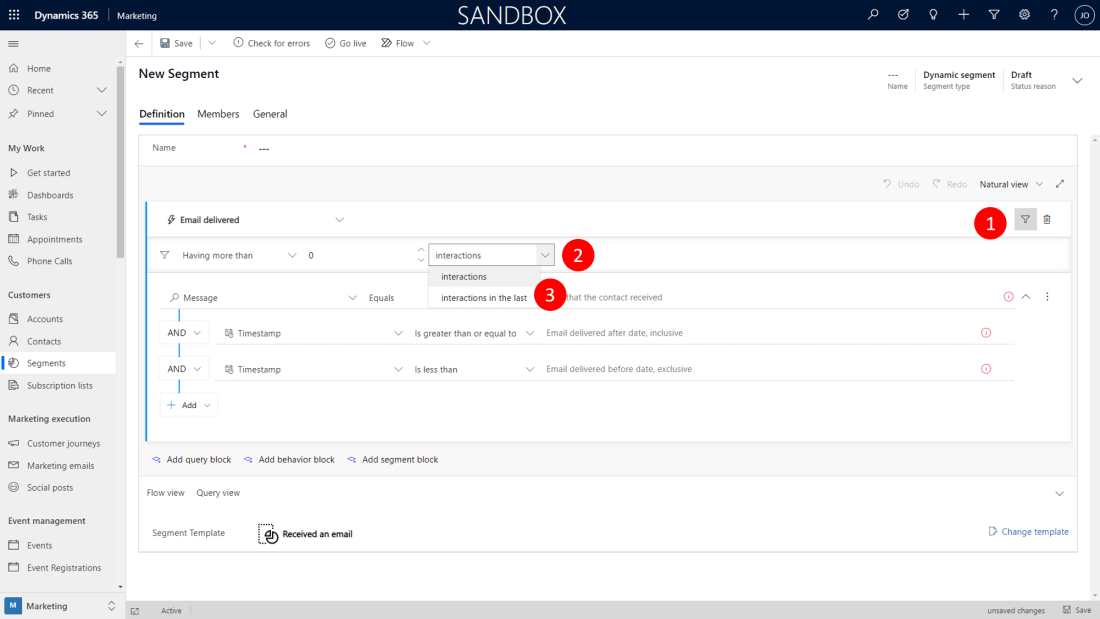
So you want to build a segment of contacts in Dynamics 365 Marketing, who received your invitation email within the last week. You tried the template "Received an email" but apparently it allowed only for absolute dates. You are looking for a date span relative to 'now'. The Show/hide interaction filters button to the rescue. … Continue reading Segment Filter button to the rescue
Talk to your Segment Builder
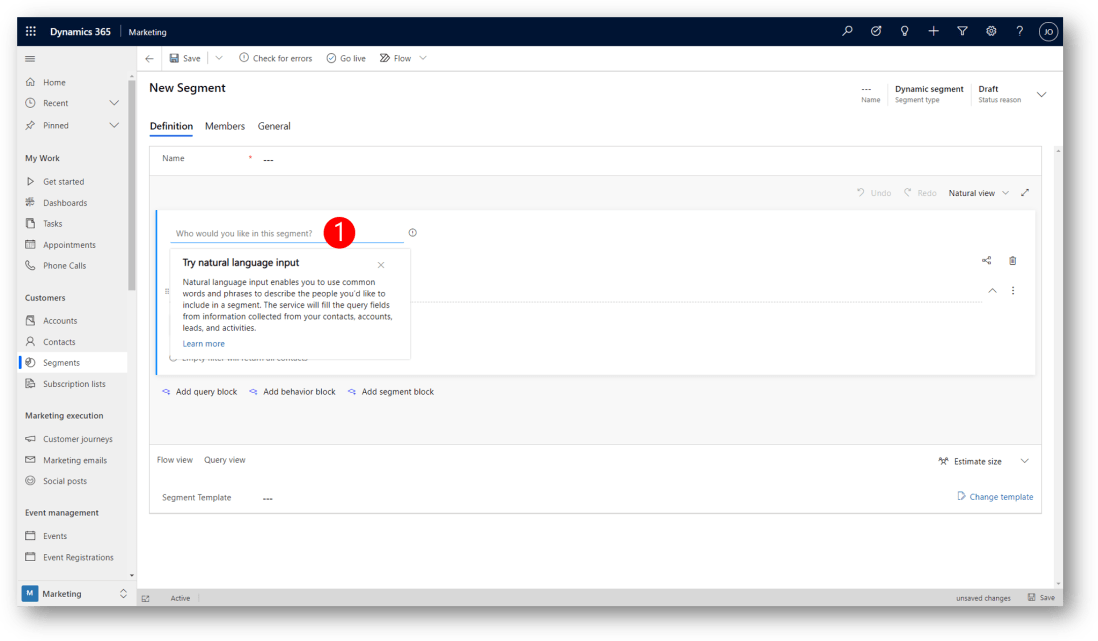
You can now use natural language sentences to build or view segments in Dynamics 365 Marketing (public preview by Oct 1, 2020). Use simple words to specify the attributes and logic for the segment you want to target so you can reach the exact audience you are looking for. For example, using natural language, you … Continue reading Talk to your Segment Builder
Learn common techniques for designing your own segments
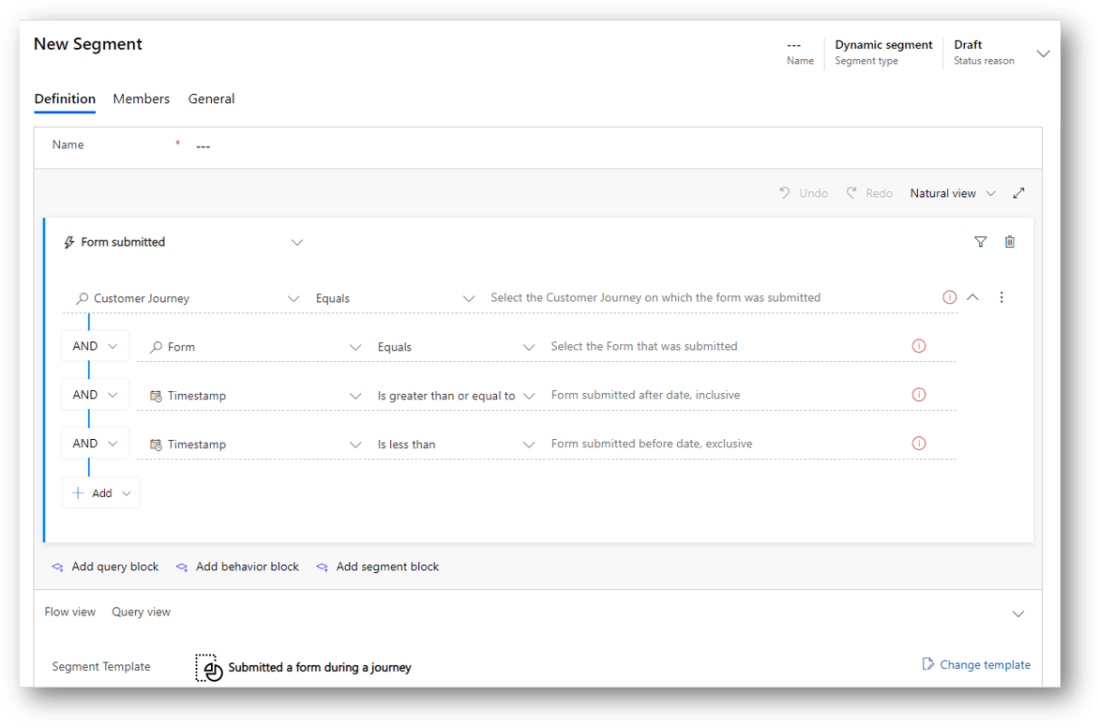
Dynamics 365 Marketing comes with a collection of standard Segment templates designed to help get you started creating a variety of common segments. Each segment template provides an initial query structure, but you'll usually need to finish the query by supplying the values you are looking for and/or by adding new rows and groups as … Continue reading Learn common techniques for designing your own segments
New in Dynamics 365 Marketing: Build powerful date segments
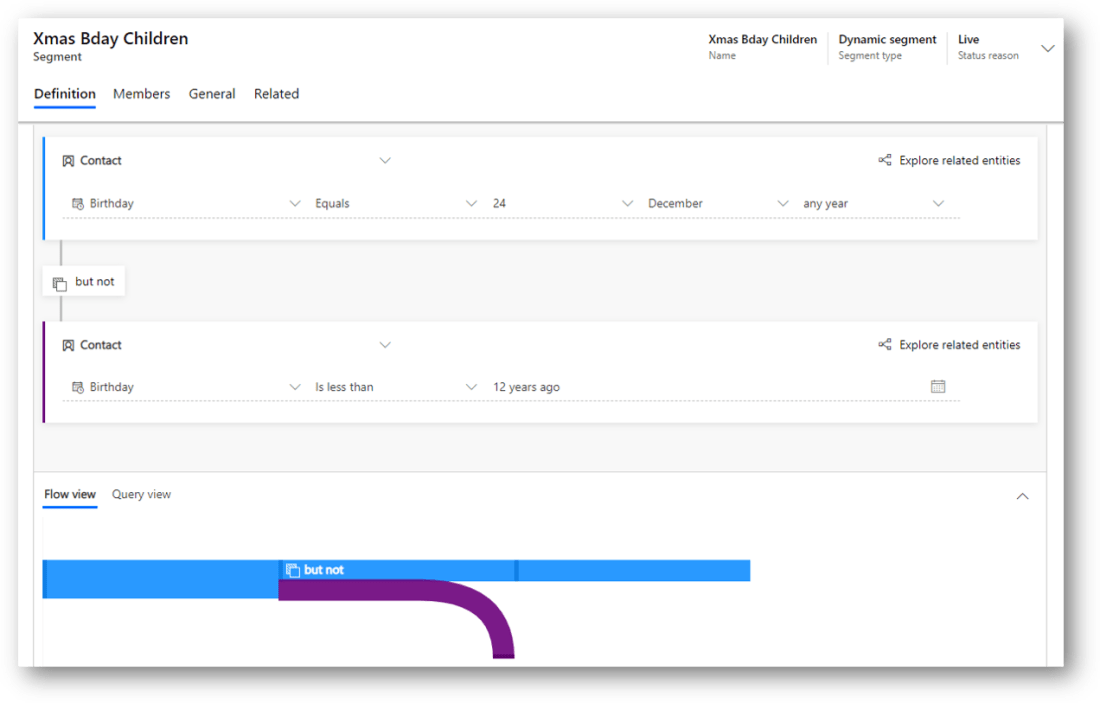
Maybe you will want to launch a campaign targeted at children who are born on christmas evening (December 24th). Defining a dynamic segment to filter out such contacts is now easier than ever in Dynamics 365 Marketing When you select a date attribute, e.g. Birthday (1), you will be presented with a query selector (2) … Continue reading New in Dynamics 365 Marketing: Build powerful date segments
How to configure the Members list view on Segments
When you build the definition of a segment in Dynamics 365 Marketing and Go Live, you will be presented with a list of contacts fullfilling the criteras of your segment definition on the Members tab of the Segment. Out of the box, the list of members includes four columns: "Full Name", "Email", "Company Phone", and … Continue reading How to configure the Members list view on Segments
How to build a segment off of a static marketing list
Segments is the starting point of customer journeys in Dynamics 365 for Marketing. The segment builder is a very powerful tool to build even the most complex dynamic segments. However, I often get asked how to build the most simple segment - a segment built off of a static marketing list. This will enable scenarios … Continue reading How to build a segment off of a static marketing list
How to Build a Segment of Repeat Website Visitors in Dynamics 365 for Marketing
Dynamics 365 for Marketing is a rich app to support your marketing automation purposes. You can build customer journeys, segments, emails, landing pages, events and more. See these blog posts for more. Dynamics 365 can also collect information about how your website(s) is used by its individual visitors. To enable the feature, Dynamics 365 generates … Continue reading How to Build a Segment of Repeat Website Visitors in Dynamics 365 for Marketing
Segments in Dynamics 365 for Marketing
Your marketing effort will benefit from targeting contacts that fits the target profile for recipients of your messaging - socalled segments. Segments are a strategic division of contacts with similar characteristics, eg. demographics or behavior. In Dynamics 365 for Marketing, you can easily define segments in a simple way using logical expressions or in a … Continue reading Segments in Dynamics 365 for Marketing